SmithsonMartin Inc.

Emulator Modular Lifetime License $99

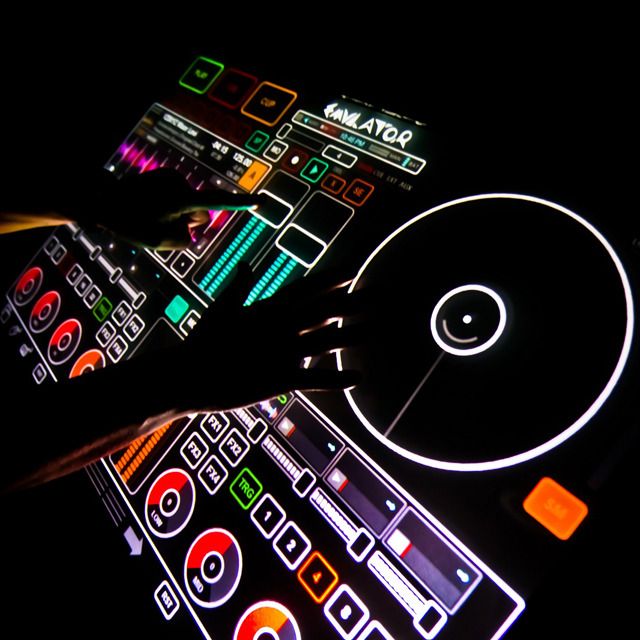
Emulator Modular is multi-touch midi control software and hardware for Musicians, DJ’s, Lighting Designers, Video Editors, VJ’s, Radio Broadcast Stations, Recording Studios and much more.
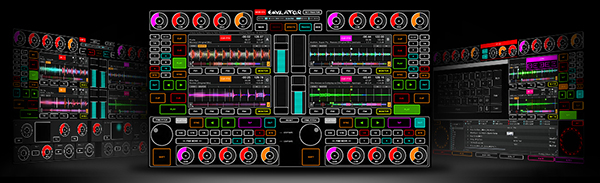
Our patent-pending technology allows you to make a custom multi-touch layout on top of any software you wish to control. Our easy to use control editor gives you unlimited options for how you create your dream midi interface. Emulator really is the best midi controller you will ever own. When new versions of your software come out, you can quickly and easily change your multi-touch controller so your hardware NEVER becomes obsolete (well, unless we invent something that doesn’t require a screen).

- Convert your multi-touch device into a powerful MIDI controller.
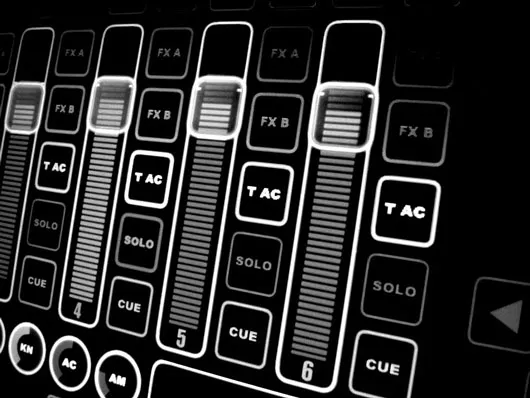
- Build your dream interface in just minutes. – Emulator includes a complete list of objects so you can custom design your own multi-touch interface with buttons, sliders, circular knobs, jog wheels and many more.
- Share your custom templates with the Emulator community and benefit from templates and experience of our other users.
- Add multi-touch capability to your preferred DJ, VJ or Music Production software.
- Emulator FT runs ONLY at 1280×800 – Emulator Modular support resolutions form 1024×760 to Full HD (1920×1080) – Emulator will work with ANY midi software to make it multi-touch.
- Our online community forum allows users to share knowledge and also share different editable layouts for all sorts of programs.
- We will have layouts available on our website for Traktor, Ableton, Virtual DJ, Grand MA, Light Jockey and more.
- Emulator for Traktor (FT) is available for free when you buy the lifetime license.


Layout examples

Emulator for Traktor Emulator for Ableton Emulator for GrandMA 2


Here is a sample of software titles that Emulator will work with. This list is not comprehensive by any means, feel free to email us with other software you find to midi map!

 
DJ Applications
Traktor Pro 2.0, Virtual DJ, Serato (with external mixer), Torq, Deckadance, Mixvibes, Ableton, ProDJ, MixMeister, PCDJ, PCDJ Karaoke

Music Production
Cakewalk, ProTools, Ableton, Reason, Kore, FL Studio, Sonar Pro, Acid, Bitwig (soon we hope)

Video
Resolume, Arkaos, Grand VJ, PCDJ, Virtual DJ, Serato SL, Mixvibes, VFX Pro Audio iLive, Cakewalk, ADK, Soundforge, Yamaha PM5D, Digidesign

Lighting
Light Jockey, ShowXpress, GrandMA 2, Venue Magic, WYSIWYG, Martin Show Designer, Softplot


Devices that you can use Emulator on
We obviously recommend our own hardware due to the fact we know it works perfectly and reliably. Below is a list our recommended hardware in descending order.
NOTE: Our hardware & software works with 6ms latency or less. If you are experiencing lag and latency, it is most likely due to a limitation of your hardware.

THERE ARE THOUSANDS OF OTHER HARDWARE OPTIONS., WE CANNOT LIST ALL OF THEM HERE.
ANY TOUCH SCREEN HARDWARE WILL WORK.

SmithsonMartin Hardware
Emulator Kontrol Surface 1974 (KS-1974)
Emulator Dual View System (DVS)
Emulator THE MONSTER

Notebook & All-in-one Computers
ACER ICONIA 6120 / HP ELITEBOOK 2760P / SAMSUNG SLATE PC 7 / ACER ASPIRE Z5610 / LENOVO C325 / HP TM2 TouchSmart

Touch Screen Monitors
The following Touch screen monitors will work, but they are NOT highly recommended by us as they have known problems such as ghost touches, etc.
SAMSUNG LD220Z / DELL ST2220T / PLANAR PJT155R / VIEWSONIC VX2258wm / PLANAR PX2230MW / HP L2105tm